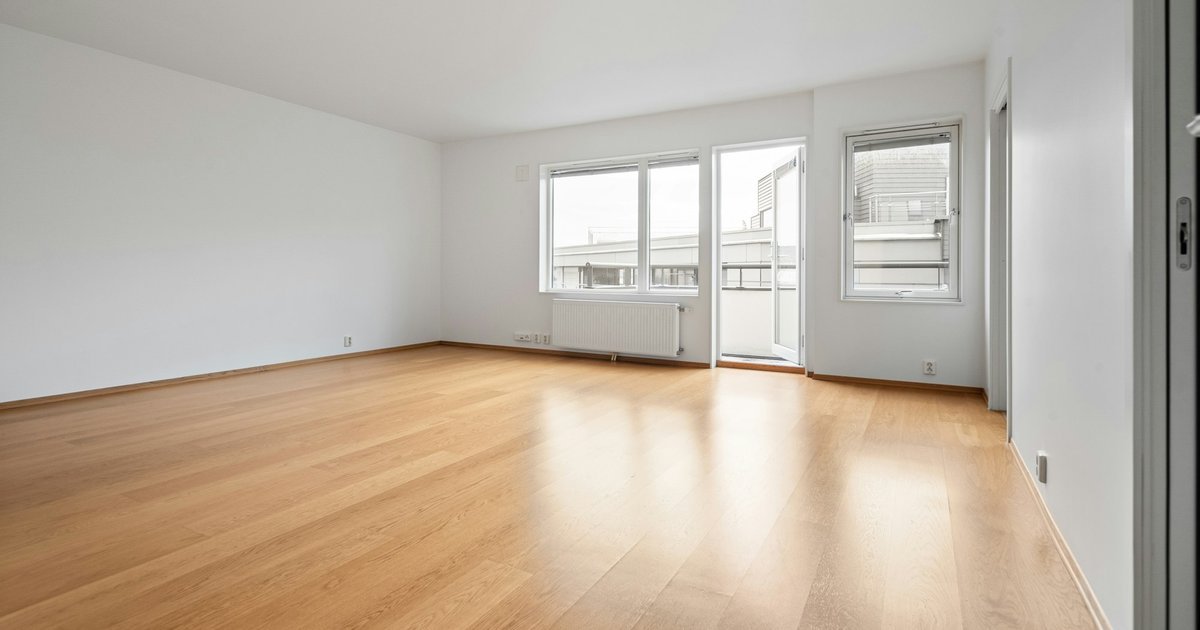
Schematic design is the phase where an agreed brief becomes a preliminary design: rough plans, sections, elevations and massing the client can approve. Picture a three-person practice with a brief for a rear house extension, a site plan and an old PDF of the existing house.
By the end of the phase, that practice needs one scheme the client has agreed in writing. The scheme fixes the footprint, the room layout, the levels, a structural approach and a first cost. The rest can wait for design development.
Key takeaways
- Schematic design is the first design phase in the AIA B101 owner-architect agreement, and RIBA Stage 2 is the closest UK match. The phase settles scale, layout and relationships, not detail.
- Typical outputs are preliminary plans, sections and elevations, a massing study, an area check against the programme and a first cost estimate.
- Two public owners, Pasco County Schools and the US GSA, cap or require three options.
- The two public owners cited here split fees differently, so check the schematic design share in your own appointment.
- Close the phase with a written client approval that lists the open questions.
What schematic design is
Schematic design is the first design phase of a project, after the brief and before design development. The AIA B101-2017 owner-architect agreement lists the basic services phases as "schematic design, design development, construction documents, procurement, and construction" (AIA Contract Documents, B101-2017 summary).
The contract text describes the output as "a preliminary design illustrating the scale and relationship of the Project components" (AIA B101-2017, as reproduced by Law Insider). You are deciding how big the building is and how its parts sit together, not how they are built.
In the UK, the closest match is RIBA Stage 2, Concept Design. The RIBA Plan of Work 2020 sets its outcome as an "Architectural Concept approved by the client and aligned to the Project Brief" (RIBA Plan of Work 2020 Overview). Stage 1 comes first and ends with a brief "approved by the client and confirmed that it can be accommodated on the site".
The order is the same in both systems. Programming or briefing defines what the client needs. Schematic design shows one way to meet it on this site. Design development turns the approved scheme into dimensioned, specified drawings.
What schematic design produces
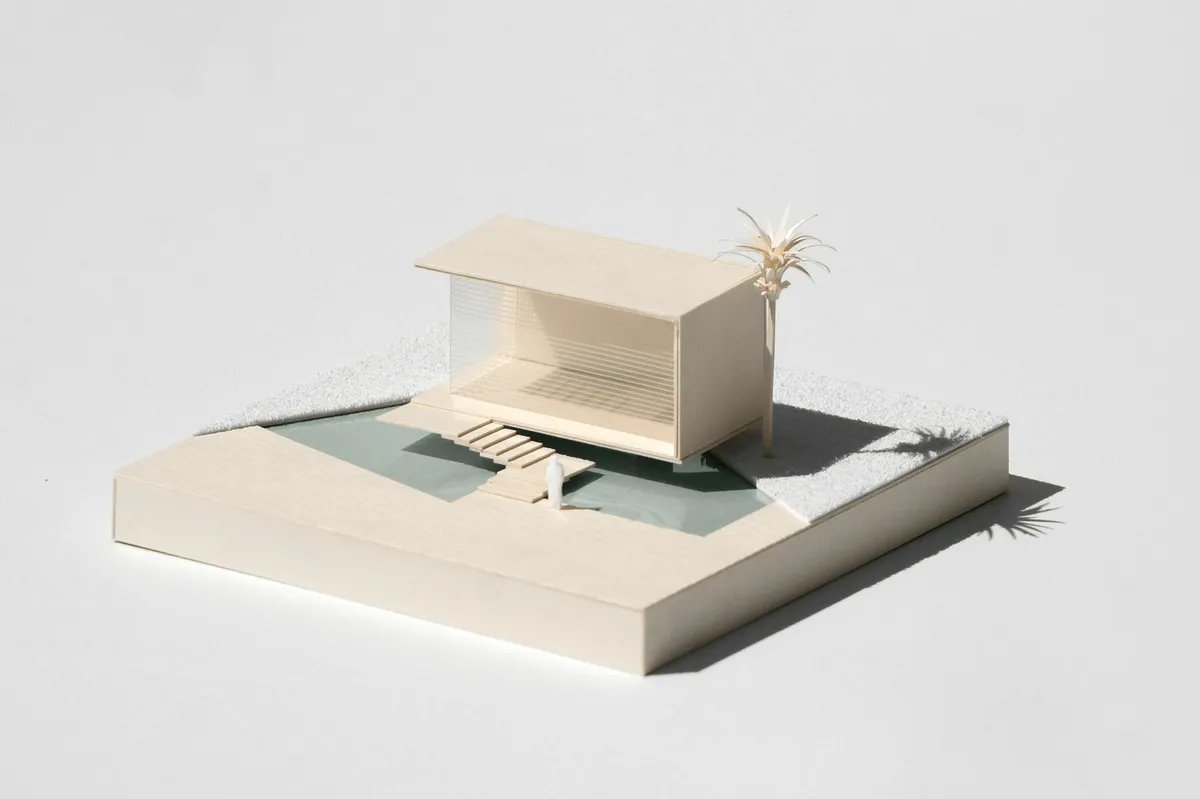
Schematic design produces a small set of drawings and checks that let a client approve a scheme. The B101 contract text lists "preliminary building plans, sections and elevations" and says the set may include "study models, perspective sketches, or digital representations" (AIA B101-2017, as reproduced by Law Insider). The B101 text also mentions "sustainable design alternatives, such as material choices and building orientation".
The AIA's schematic design checklist adds practical objectives (AIA, Schematic Design Quality Management Phase checklist). They include a "Structural grid and representative exterior modules fixed" and a "Schematic Design estimate of the cost of the work". The checklist is AIA practice guidance from 2017, not contract text.
| Deliverable | What it settles | Basis |
|---|---|---|
| Site plan | Footprint, orientation, access and boundaries | Practice |
| Preliminary floor plans | Room arrangement, circulation and openings | AIA B101 |
| Preliminary sections | Floor levels, ceiling heights and level changes | AIA B101 |
| Preliminary elevations | Massing, roof form and main openings | AIA B101 |
| Study models or sketches | Overall scale and options for discussion | AIA B101, optional |
| Area schedule | Room areas against the programme | Pasco, GSA |
| Structural grid | Spans and exterior module | AIA checklist |
| Cost estimate | First cost of the work | AIA checklist |
| Approval letter | Client agreement to close the phase | AIA checklist |
For a house extension, keep each item in proportion. The grid may be one span decision, and the cost a rate per square metre from a recent job. Each question needs a first answer before the client signs.
How to run schematic design in a small practice
Most practices that run this phase are small. About 75% of US architecture firms have fewer than 10 employees (AIA, Latest insights: 2024 Firm Survey Report). RIBA Business Benchmarking 2024 counts chartered practices by staff size. By our count, 3,018 of the 3,738 practices listed, 81%, have fewer than 10 full-time equivalent staff.
In a practice that size, one or two people carry the phase from brief to sign-off. The seven steps below follow the house extension.
1. Confirm the brief and programme
Write the brief down and get the client to agree it. List each room or space, its target area and any relationships that matter, such as a kitchen that opens to the garden. Add the budget, the planning constraints you know of and the client's must-haves.
RIBA places this agreement at the end of Stage 1, before concept design starts. If the brief is still moving, every option you draw will move with it.
2. Gather site and existing conditions
Collect the site plan, the boundary, levels and any planning history. For an extension, the existing house is part of the site. Its walls, floor levels and openings decide where the new work can connect.
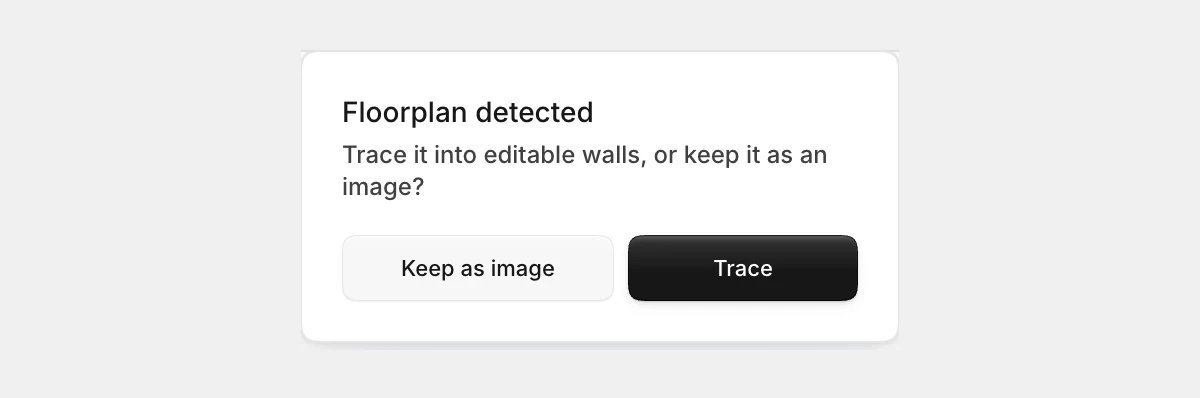
Treat an old PDF of the existing house as a starting point, not evidence. Check it on site before you design from it. The guide to as-built drawings covers how to survey and check an existing building. In Synaps, you can trace an old PDF or scan into editable walls and openings, then check them against the reference.
3. Explore options loosely
Sketch several ideas quickly before you draw any of them properly. At this stage you are testing big moves: where the extension goes, how it meets the house and which way the main room faces. Sketch over the site plan, so every idea respects the boundary and the existing house. Drop ideas that break the brief before they reach the client.
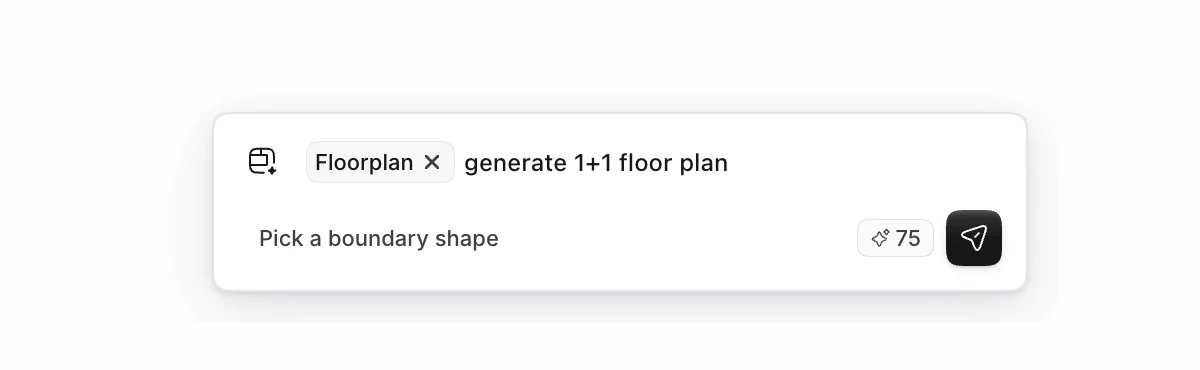
A generated layout can serve as one more starting point to sketch over or react to. In Synaps, you can generate one editable floor plan from a brief inside a footprint you draw, and each further option is a new submission. Check a generated plan the way you would check a junior colleague's first layout. The guide to what to check in an AI floor plan generator lists the points.
4. Test options against the programme
Test each option against the programme with numbers, not impressions. Measure every room, add up the net area and compare it with the target in the brief. Check circulation too, since corridors are where area quietly disappears.
Some public owners ask for this check in writing. The 2026 guidelines from Pasco County Schools want schematic floor plans "labeled with Room Name and Room Square Footage". At its preliminary concept stage, the US General Services Administration asks teams to "Compare net, usable and gross SF of design concepts to program" (GSA, 2024 P100 Submittal Matrix).
In Synaps, a room defined inside closed walls shows a live area that updates when you move the walls.
5. Choose and draw one option properly
Pick the option that fits the brief, the site and the budget, then draw that one properly. Keep the others only as small sketches for the client meeting.
Drawing properly here means real wall thicknesses, true room sizes and floor levels that work. Details and specifications can wait. Draw the plans first, then the main elevations. Add one or two sections through the parts that matter, such as the step down from the house into the extension.
Issue at 1:100 for a house, or 1:50 where the client needs to read furniture. The guide to architectural drawing scales helps with that choice. In Synaps, you type wall lengths and angles as you draw, then add dimension strings once the geometry settles.
6. Review with the client and get written sign-off
Present the chosen scheme with the reasons it was chosen. The AIA checklist includes a task to "Discuss with the Owner alternative approaches to design and construction of the project" (AIA checklist). RIBA's Stage 2 tasks include design reviews "with client and Project Stakeholders". Show the alternatives briefly, so the client sees what was considered and why it was set aside.
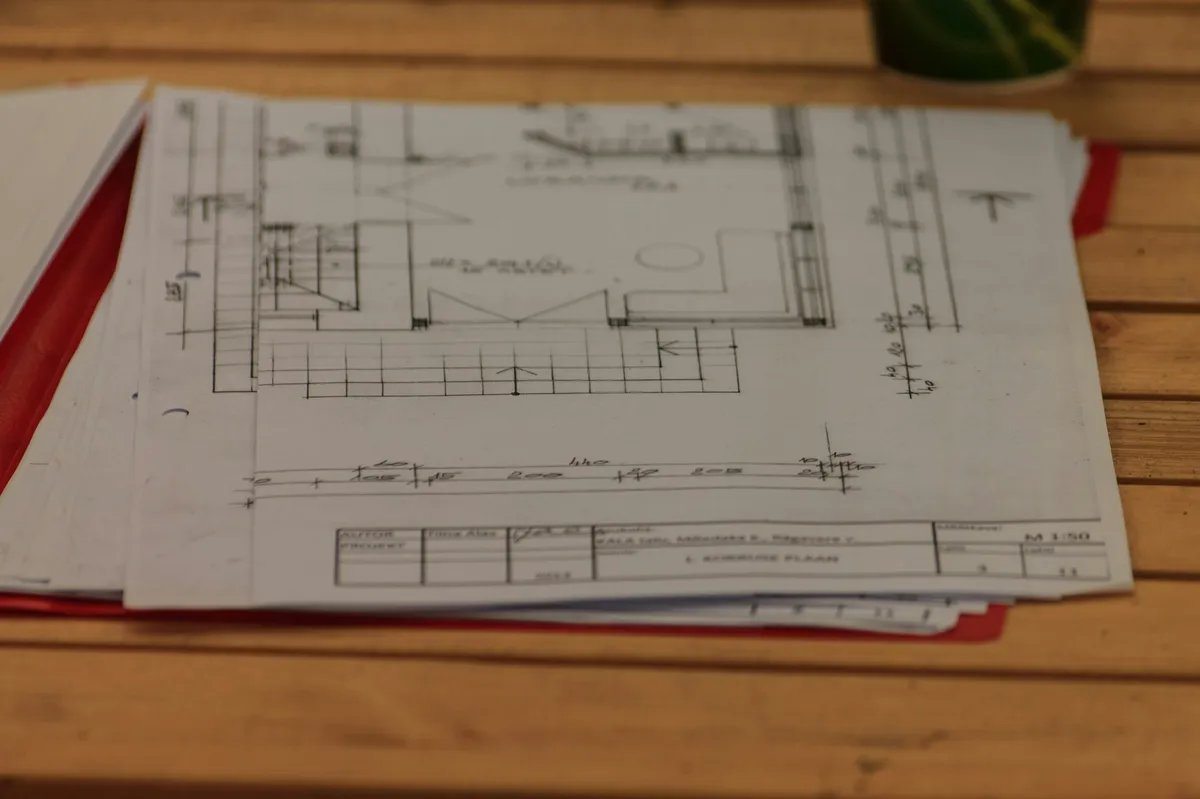
Then ask for the approval in writing. The same checklist includes a task to "Prepare approval letter for Schematic Design phase completion." Synaps drawing sheets (papers) take an ISO sheet size and a scale such as 1:100, and export as one combined PDF for the review pack.
7. Hand over to design development
Start design development from the approved drawings, not from the sketches. Write down the questions the client left open, such as a window size or a roof finish, and carry them as a list.
RIBA warns that detailed work on a concept without enough client buy-in "can result in abortive design work" (RIBA Plan of Work 2020 Overview). So keep anything the client did not approve marked as open.
How many options to show in schematic design
Show the client two or three options at most, and recommend one. Each extra option costs drawing time and makes the decision harder.
Some public owners set the number in their own rules. Pasco County Schools states: "The Architect shall develop/present a maximum of (3) proposed design solutions" (Pasco County Schools guidelines). The GSA's 2024 P100 submittal matrix asks for "Three (3) overall building concept designs" at the preliminary concept stage.
Read those as one owner's cap and another owner's requirement, not as an industry norm. The National Park Service states that it "will select a Schematic Design Preferred Alternative based on recommendations" (NPS Denver Service Center, Schematic Design). The pattern holds on a house extension too: a few options, and a clear recommendation from you.
Fee share for the schematic design phase
Washington State's Office of Financial Management gives the phase 18% of the basic services fee in its guideline split (Washington OFM, Architect/Engineer Fee Guidelines). The page says the split is "not intended to be absolute".
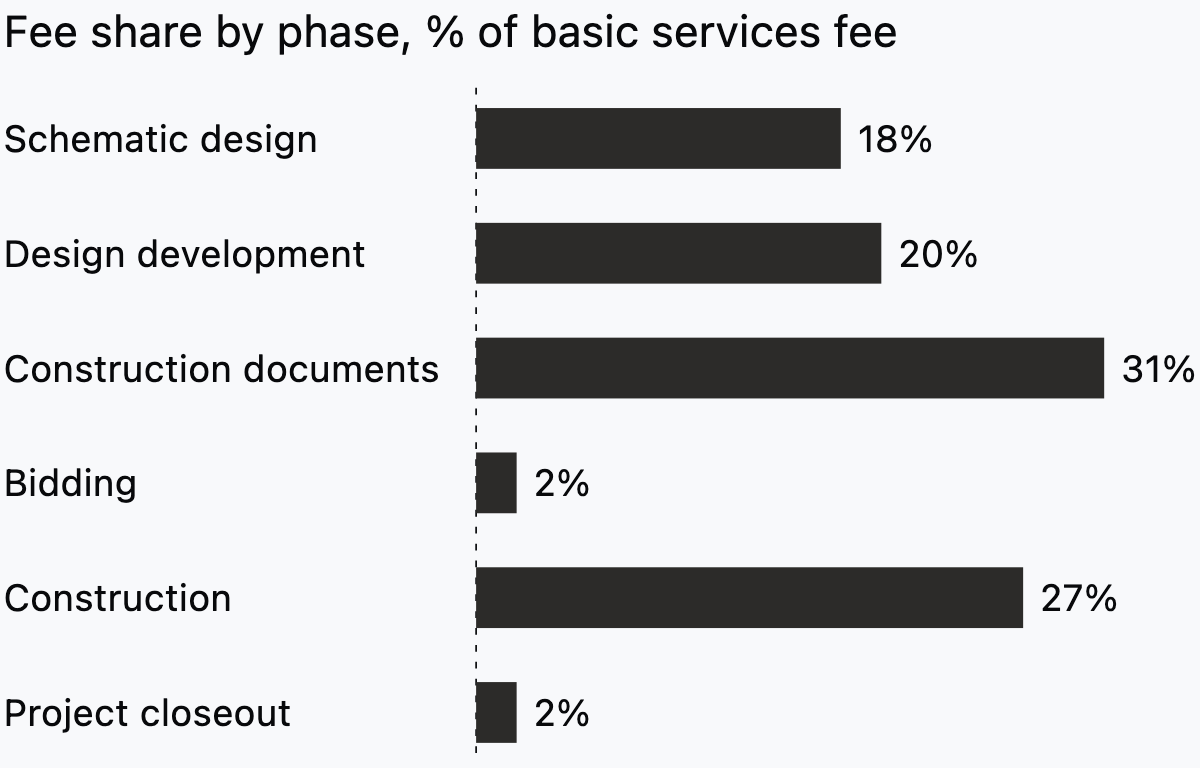
Pasco County Schools splits the fee differently. Its guidelines give schematic design 15% of the total fee (Pasco County Schools guidelines). Pasco also pays 5% for a separate "Program/Project Verification" stage, while the Washington table has no such line. So 15% and 18% are not like for like, because Pasco carves out an earlier stage that Washington does not.
Treat any published split as one owner's view of its own projects. Set your schematic design fee against the scope your appointment gives the phase, including the number of options and meetings.
Both owners give construction documents a larger share than schematic design. Yet schematic design decisions shape every later sheet, so spend its hours on decisions and checks, not drawing finish.
Common failure modes in schematic design
On small projects, most schematic design problems follow a few recurring patterns.
- Starting before the brief is agreed. Options drawn against a moving brief get redrawn.
- Designing on an unchecked existing plan. One misplaced wall on an old PDF can sink a whole option.
- Showing variations of one idea as separate options. The client then chooses between finishes, not between different moves.
- Area drift. Rooms shrink once walls get real thicknesses, so recheck areas after drawing the chosen option.
- Leaving cost until design development. A scheme over budget at sign-off is harder to cut later.
Checklist before client sign-off
Run through this list before you send the approval letter.
- The brief and programme are agreed in writing, with a date.
- Existing conditions are checked on site, not only copied from old drawings.
- Every room is named and has an area, and the total sits within the programme target.
- The footprint sits inside the site boundary and the planning limits you know of.
- Floor levels and the junction with the existing building work in at least one section.
- The structural approach is stated, even if only as a span and a material.
- A first cost estimate sits within the budget, or the gap is stated.
- Rejected options are recorded with the reason.
- Open questions are listed for design development.
- The approval names the drawings and their revision or date.
Running schematic design in Synaps
Synaps publishes this article and makes browser-based design and drafting software for early-stage building work. Sources and Synaps features were checked on 7 October 2026. In the schematic design phase, Synaps covers the plan work. That means getting the existing house and a first layout into editable walls and rooms to test against the brief.
- Trace the old PDF or scan of the existing house. Measure a known distance, and use Scale if the whole drawing is the wrong size.
- Draw a closed boundary larger than 20 m² for the extension, write the brief and generate one editable plan. If the extension is smaller than that, generate without a boundary, then edit the plan to fit the extension. A second option is a new submission, which can incur another credit charge.
- Click inside each closed wall loop to define a room, then watch its live area as you move walls.
- Draw the chosen option with typed wall lengths and angles. Dimensions you add are static and do not follow walls you move later.
- Export the papers as one combined PDF, or as DXF for a consultant, and check the file in the recipient's application. A camera view can also produce a concept-stage interior image, which is an image, not a drawing.
Generated plans are starting layouts you check against the brief and regulations. An interior image does not update when the plan changes. Sections, elevations and 3D views are planned for the Synaps Iceberg release and are not available today, so draw those in your current tool.
Frequently asked questions
What is the difference between schematic design and design development?
Schematic design decides what the building is: its size, layout and form. Design development decides how it works and what it is made of, with consultants such as a structural engineer. If a question changes the layout, settle it in schematic design. If it only changes how a wall is built, it can usually wait.
Do schematic design drawings need sections and elevations?
Yes, in most cases. Even a single-storey extension needs one section to prove that the levels and roof work with the existing house. Elevations show the client the roof form and the main openings next to the existing building. The AIA checklist also lists "Representative wall sections drawn" among its deliverable checks (AIA checklist). On a small job, one typical wall section shows the build-up and thickness the plans assume.
How detailed should schematic design be?
Detailed enough to decide on, and no more. RIBA describes Stage 2 as "more about rules of thumb than detailed analysis" (RIBA Plan of Work 2020 Overview). Leave door schedules, specifications and service routes for later.
What does the client sign at the end of schematic design?
A short approval that names the drawings, their revision or date and the budget they were estimated against. List the open questions in the same document, so the client knows what is still to decide. For a house extension, an email reply agreeing to an attached PDF can work if your appointment allows it.