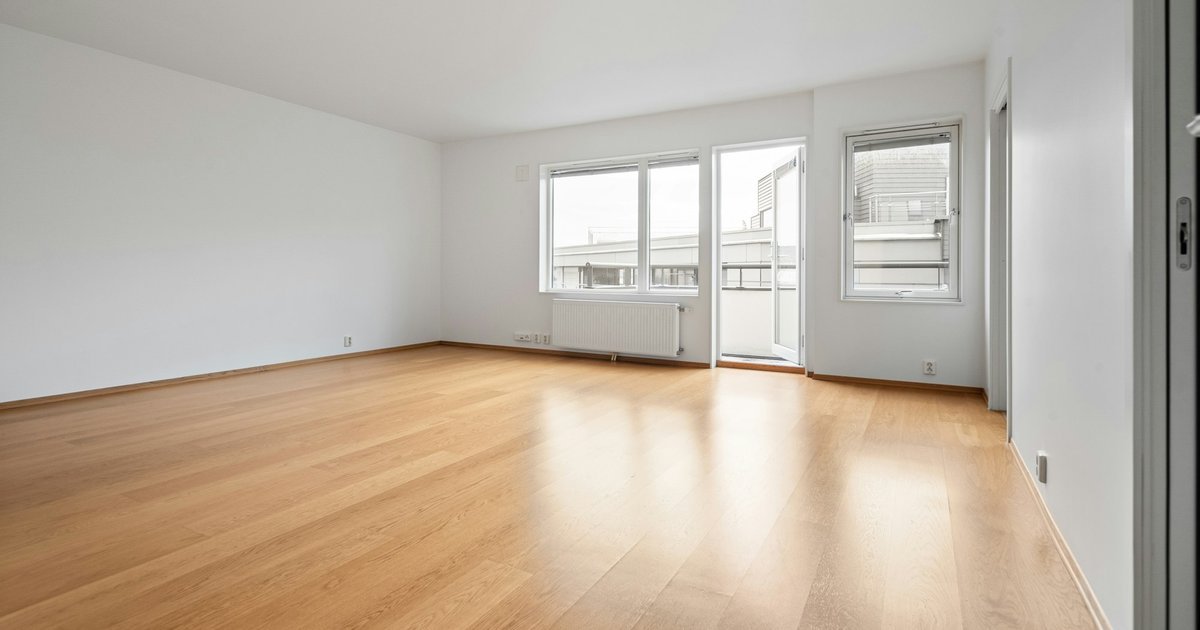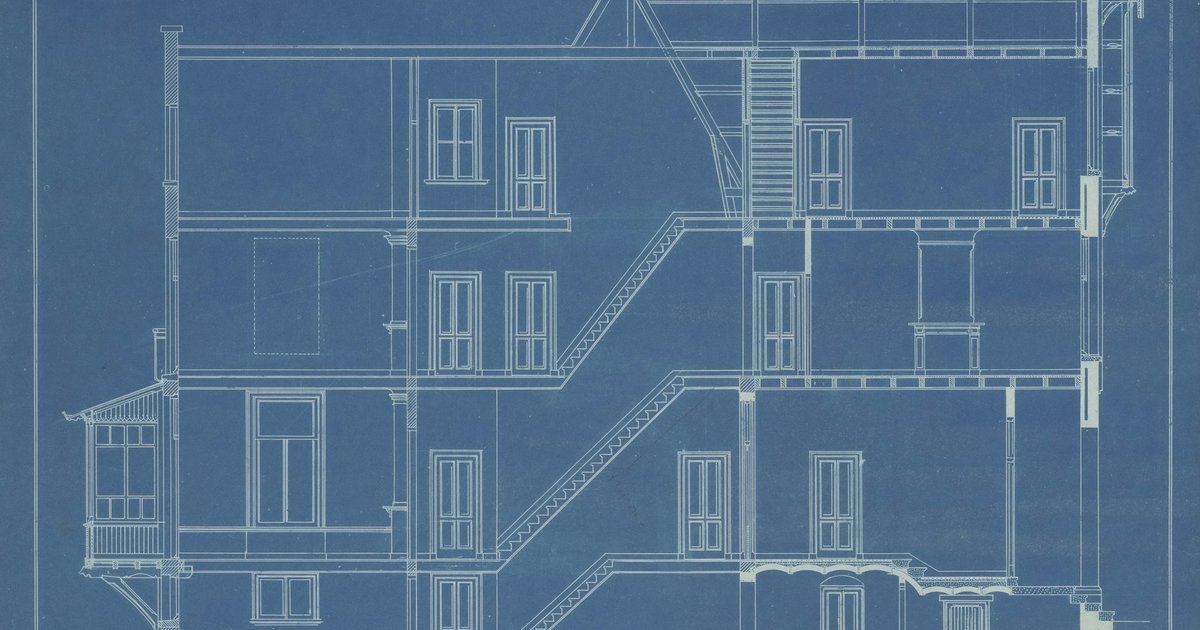
As-built drawings show a building as it was actually built, or as it stands now, not as it was designed. Picture a client handing you the old planning set for their 1990s house before an extension.
On site, the kitchen wall drawn as a stud partition turns out to be solid masonry. The stair sits further along the hall than the plan shows. Neither error looks dramatic on paper, but both change the scheme you were about to draw.
This guide covers what people mean by as-built drawings and what goes on them. Then it walks through surveying and drawing an existing building, and checking a set someone hands you.
Key takeaways
- "As-built" can mean a contractor's marked-up set, record drawings compiled after construction, or a measured survey of an existing building. Ask which one you are being given.
- An old plan is a starting point, not evidence. Check it against the building before you design from it.
- Decide the accuracy and scale before you measure. The RICS bands for measured building surveys run from band B at 1:10 to band F at 1:200.
- On site, take running dimensions from one corner, check diagonals, record wall thicknesses at every opening and photograph every wall.
- Date every sheet, say who measured it and state its status. For a measured survey, the person who measured and drew it answers for it.
What as-built drawings are
As-built drawings record what exists rather than what was intended. In practice, the term covers three different things, made by different people at different times.
| Type | When it is made | Who makes it | What it shows |
|---|---|---|---|
| Contractor's as-built set | During and at the end of construction | Contractor or construction manager | Changes marked up by hand on the design drawings |
| Record drawings | After construction | Design professional, from the contractor's mark-ups | A formal, updated set that takes in the changes |
| Measured survey or existing-conditions drawings | Before a new project | Surveyor or architect | The building as it stands today, measured on site |
The first two belong to the end of a construction job. Designing Buildings Wiki describes as-built drawings as the marked-up drawings that capture changes made during the building process (Designing Buildings Wiki, As constructed). Record drawings are "the formal, professionally updated drawings that incorporate all as-built information".
The third meaning involves no contractor at all. A measured survey records an existing building before new work starts. This is the version most renovation and extension projects begin from.
Some specifications use the terms interchangeably. Kutztown University's project record documents section has a heading that reads "Record Drawings (As-Built Drawings)" (Kutztown University, Section 017839). So the label on a set tells you little about how it was made.
As-built vs record drawings
The difference lies in who marks up and who compiles. At Arizona State University, the construction manager delivers a complete set of redlined as-built drawings to the design professional (ASU Facilities Development and Management). The design professional uses them to produce a reproducible set of record drawings.
ASU also gives the reason an owner wants them. Record drawings let later consultants modify existing drawings "instead of creating new drawings from field measurements". That only works if the record set is trustworthy.
The Kutztown specification describes the mark-up itself. Drawings are marked where the actual installation varies from the design. The rule is plain: "Markings shall be in red erasable pencil." Updates during the work must pay attention to concealed elements "that would be difficult to measure and record at a later date." The professional then brings the red line changes into the electronic drawings.
That process shows where the weak points sit. A record set is only as good as the mark-ups behind it. Concealed work is the easiest to miss, such as a pipe run in a screed or a steel above a ceiling.
So when a set arrives, ask which one you are being given: a contractor's mark-up, a compiled record set or a survey. Then ask whether anyone checked it on site after the work finished.
When you need as-built drawings
You need them at handover, before a renovation or extension, and whenever you alter a building whose drawings are lost.
On projects under CDM 2015 that have a health and safety file, that file is the natural home for them at handover. Regulation 12 of the Construction (Design and Management) Regulations 2015 covers this file (CDM 2015, regulation 12). The file holds information "likely to be needed during any subsequent project to ensure the health and safety of any person". The file is updated as changes occur, and at the end of the project it passes to the client.
The regulation does not mention as-built drawings by name. Put drawings of the completed work in the file anyway. The next designer to work on the building will look there first.
For renovation and extension work, you need the building as it stands before you can design the change. Old planning drawings often miss what builders altered on site, as the 1990s house showed. Sometimes no drawings survive at all, and a measured survey is the only route.
Unreliable as-built information also costs building owners money. A 2004 NIST report estimated the cost for owners and operators of US capital facilities (NIST GCR 04-867). In 2002 alone, they spent an estimated $4.8 billion in labour making sure facility information matched what was in place. The report links this to as-built information that was poorly communicated and to information poorly maintained over the years.
That figure covers US capital facilities, not small houses, and it is not a rate of wrong drawings. The point still carries over: a drawing nobody trusts gets measured again.
What to put on as-built drawings
Decide what the drawings must show before anyone goes to site. The RICS standard for measured surveys calls these decisions "critical to the success of any project relying on survey information" (RICS, Measured surveys of land, buildings and utilities, 3rd edition). RICS reissued the document as a professional standard in December 2023.
The standard lists outputs and features a client can select. Start from those, chosen for your project:
- Floor plans, roof plans and reflected ceiling plans
- Sections and elevations
- Walls, doors, windows, stairs, columns and beams
- Ceiling heights and floor levels, including a level at the centre of each room
- Window and door heights
Then add the items that make a drawing usable in practice:
- Wall thicknesses at every opening
- Sanitaryware, kitchen units and other fixed fittings
- A north point
- The survey date
- A status note, such as "measured survey, not a structural survey"
- The name of whoever measured and drew it
- The datum that levels refer to
Keep heights and levels apart on the drawing. The same standard treats a height as dimensional information and a level as a value derived from an agreed datum. A ceiling height of 2.40 m is a measurement taken in the room. A floor level of +0.150 means nothing until the drawing states the datum.
How to produce as-built drawings of an existing building
Six steps take you from an old drawing, or an empty folder, to a dated set you can design from.
1. Gather what exists
Collect every drawing you can find. That includes the client's old set, planning drawings from the council's planning portal and any building control records. Ask for photos from earlier building work, which sometimes show what now sits behind plaster.
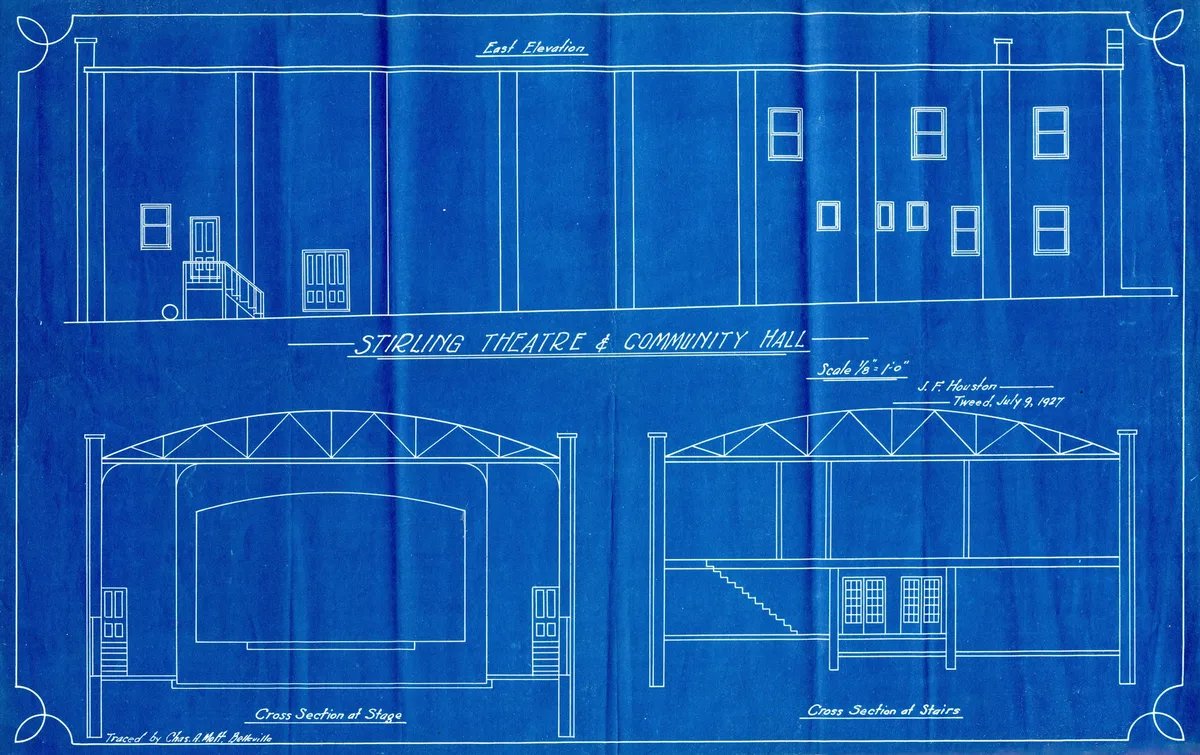
An old scanned or PDF plan can become your underlay or an editable starting point. In Synaps, you can trace a scanned or PDF plan into walls and openings you can edit, then compare them with the cropped reference image. The guide to turning a scanned floor plan into an editable drawing covers that route in detail.
2. Decide the accuracy and scale before you go
RICS links each survey accuracy band to a drawing scale (RICS, Measured surveys, 3rd edition). The accuracy section below sets out the bands.
Choose the scale you will issue at first, then measure to suit it. A 1:50 plan of a house asks for different care from a 1:20 heritage detail. For help with that choice, see the guide to architectural drawing scales.
3. Measure on site
Sketch every floor by hand before you measure anything. A clear sketch gives each figure a place to go.
Take running dimensions from one corner along each wall, rather than separate lengths for each room. Running figures keep small errors from adding up across the plan. Measure both diagonals of every room as well. If opposite walls match and the diagonals are equal, the corners are square. A difference between the diagonals shows the room is out of square.
Record the wall thickness at every door and window opening. Openings are where you can see through a wall. The kitchen wall in the 1990s house would have shown its masonry at the door reveal.

Measure ceiling heights, sill heights and the heights of doors and windows. Photograph every wall, including corners and ceilings. Finally, take one long overall dimension, such as the full length of the house, to check the drawing against later.
4. Draw up the same day
Draw up while the site is fresh in your mind. Gaps you notice that evening can still be filled with a return visit the next morning.
Type wall lengths from the survey sheet into the Synaps wall tool's length and angle inputs. Where your survey and an old traced plan disagree, the survey wins.
5. Check against the building
Check the drawing against figures you did not use to draw it. The long overall dimension and the room diagonals are the best tests.
In Synaps, use Measure to check a known distance and room sizes, and Scale if the whole traced drawing is the wrong size. The trace review does not calibrate from a distance you enter, so this check is yours to make.
If a check misses by more than your chosen band allows, go back to site. Don't nudge lines until they fit.
Add dimensions once the geometry is settled. Chained dimensions in Synaps run end to end along a wall, much like the running figures on your survey sheet. They are static annotations and do not follow geometry you move later.
6. Issue with date and status
Every sheet needs the survey date, the name of whoever measured it, the datum and a status note. Set Synaps papers to an ISO size at 1:50 or 1:100 and export them as one combined PDF. A consultant who needs geometry can have the paper as a DXF instead. Open it in the CAD application they use and check it before you send it.
Whoever measured and drew the building is responsible for the drawings. The software used to draw them does not change that.
Survey accuracy bands and drawing scale
RICS lists a plan accuracy and a scale for each survey band (RICS, Measured surveys). The standard states that "a client requiring 10mm plan accuracy at 95% confidence interval should select a band C survey".
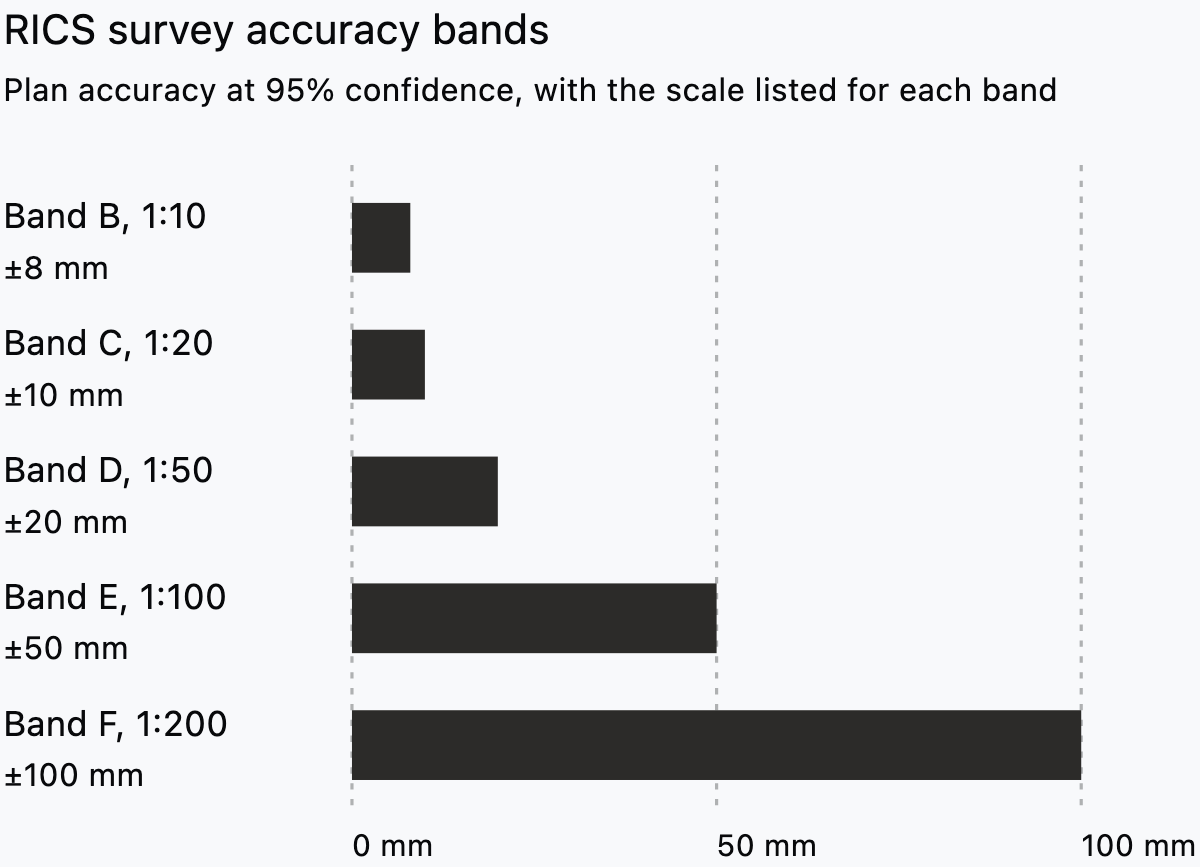
Read the chart as a pairing: the scale you issue at points you to a band. Tighter bands sit with larger scales, and the tolerance grows quickly beyond 1:50.
For a typical 1:50 renovation plan, think in band D terms, about 20 mm in plan. Heritage recording sits at band C in the RICS table. Structural work may also justify a surveyor at band B or C. RICS notes that bands B and C "may incur additional cost."
So ask for the band the project needs, not the tightest one on offer. If you cannot say what accuracy your own survey reached, the drawing should not claim a band.
Checking an as-built set you receive
A set handed over at the end of a job, or passed on by a client, deserves the same doubt as an old planning drawing. Run these checks before you design from it.
- Date and status. Look for a survey or revision date and a note saying what the set is. Treat an undated set with caution.
- Who made it. Find out whether a contractor marked it up, a designer compiled it or a surveyor measured it.
- Three points on site. Measure an overall length, one room and one opening, then compare all three with the drawing.
- Concealed services. Ask whether drainage, pipes in floors and cables in walls were recorded before they were covered.
- Openings and stair. Check that doors, windows and the stair sit where the drawing puts them. In the 1990s house, the stair did not.
- Levels. Confirm that levels refer to a stated datum and agree between plans and sections.
- File format. Find out whether you have a scan, a vector PDF or CAD geometry, and whether you can open it. The guide to CAD file formats explains the differences.
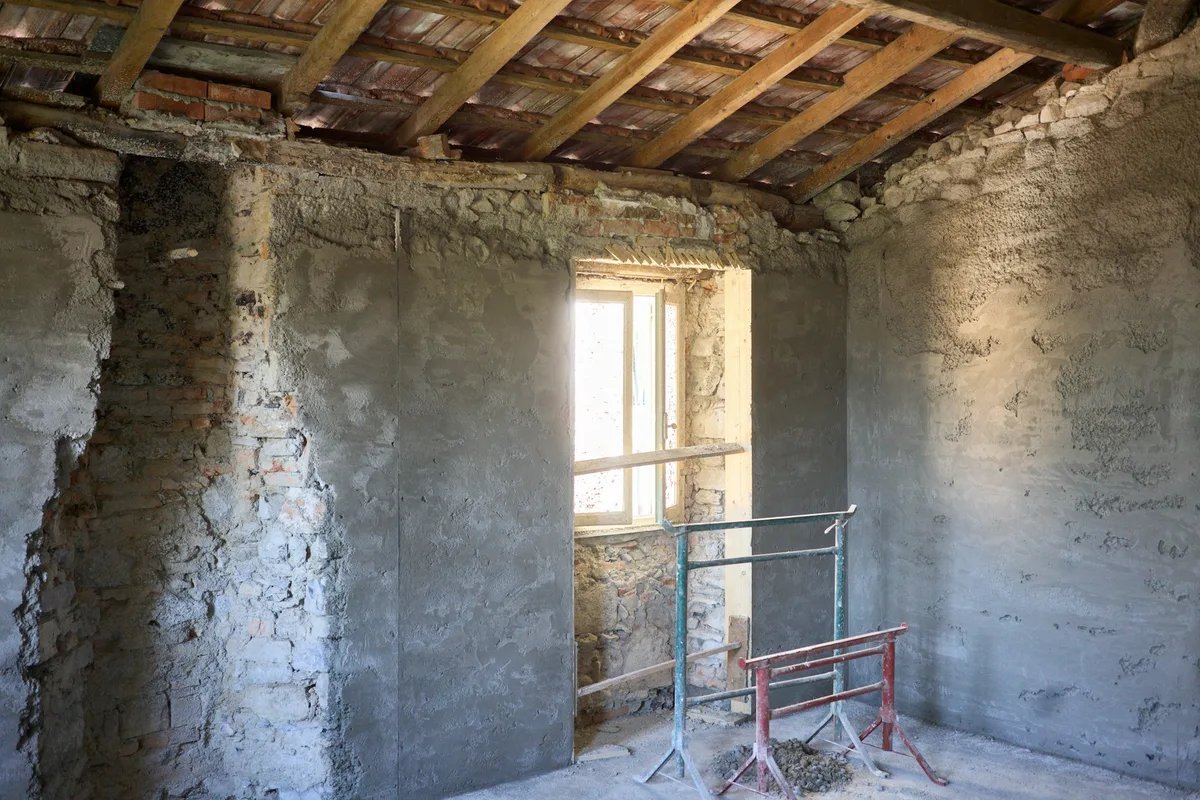
If several checks fail, commission or carry out a measured survey instead.
Producing as-built drawings in Synaps
Synaps publishes this article and makes browser-based drafting software that traces scanned and PDF plans into editable drawings. Sources and Synaps features were checked on 6 October 2026. Here, the job is to turn an old plan and your site measurements into one editable drawing you check and issue.
- Drop the plan image or PDF onto the canvas and choose Trace when the detected plans are offered. Choose Keep as image if you only want an underlay to draw over.
- Review the detected regions on every page and remove the ones you don't need, since a separate trace may be charged for each plan.
- Compare the traced walls, doors and windows with the cropped reference, then follow steps 4 to 6 above.
The trace is a starting point that needs a legible source and still has to be checked against your site figures. As of 6 October 2026, DWG is not an import option, and DWG export is planned for the Iceberg release.
The scan to editable drawing docs cover each check in more detail.
Frequently asked questions
Who is responsible for as-built drawings?
Whoever the contract or appointment names. During construction, the contractor usually marks up changes, and a design professional compiles the record set where the contract asks for one. For a measured survey, the surveyor or architect who measured and drew it answers for it.
Are as-built drawings the same as a measured survey?
Not always. A contractor's as-built set records changes against the design drawings during construction. A measured survey records the building as found, often years later, and measures everything afresh. For a renovation, a recent measured survey is usually the safer base. It records the building as it stands, not as it was handed over.
How accurate do as-built drawings need to be?
Accurate enough for the scale you issue at and the decisions you will make from them. Agree the band in writing before the survey starts. Then put the band, or the measuring method, on the drawing, so the next person knows how far to trust it.
Can I convert old paper drawings into CAD?
Yes. Scan or photograph the sheet flat and square, because distortion carries into the trace. Then trace it and check the result against site measurements. In Synaps, you can trace a legible JPEG, PNG, GIF, WebP or PDF plan into editable walls and openings. For an existing DWG, export a DXF from the original CAD tool before you import it into Synaps.