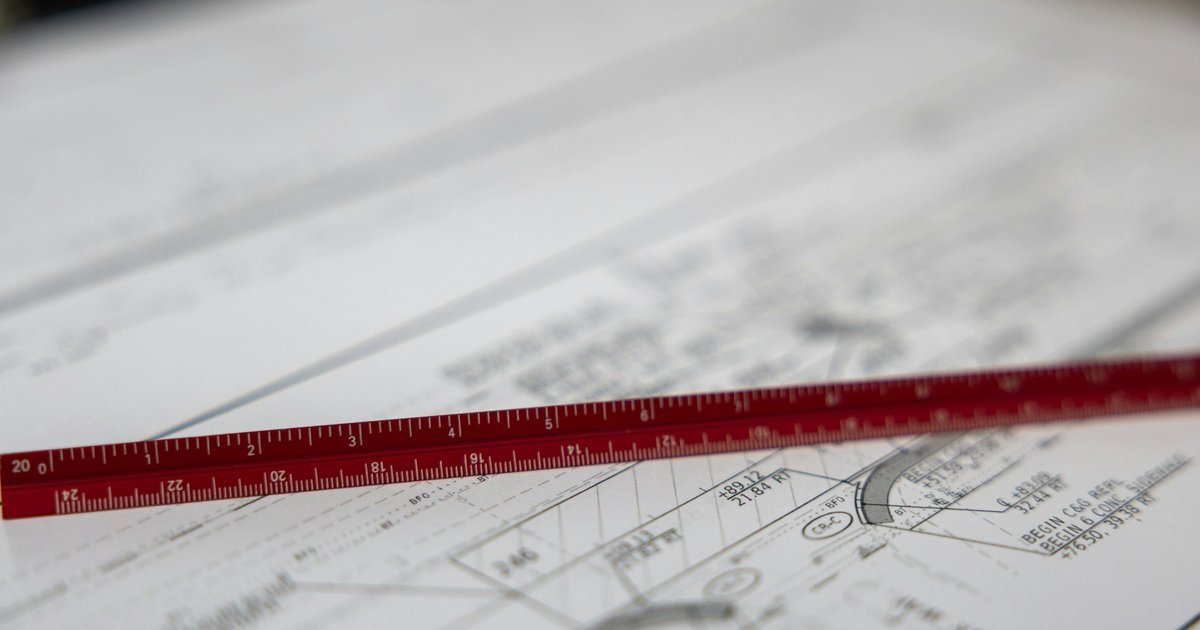
An architectural drawing scale is a ratio. At 1:50, one millimetre on the sheet stands for 50 millimetres in the building. Which scale to use depends on the drawing type and the sheet size.
This guide lists the scales two UK councils ask for in planning submissions. It does not cover other countries or construction drawings. It also explains how metric and imperial scales relate. It ends with a check for after export.
Synaps publishes this article and makes software that draws on scaled sheets. The scale guidance comes from two UK council documents and our own arithmetic. We tested no software, and the Synaps section reflects its documentation only. We read all sources on 3 October 2026. See About Synaps.
Key takeaways
- Two UK councils list 1:50 and 1:100 for floor plans and elevations.
- Stroud lists 1:10 for large joinery details.
- A written scale holds only at the sheet size you drew for.
- 1/4 inch to the foot is 1:48. It is close to 1:50, but not the same.
- Our advice: after any export, measure one known dimension on the output.
What a drawing scale means
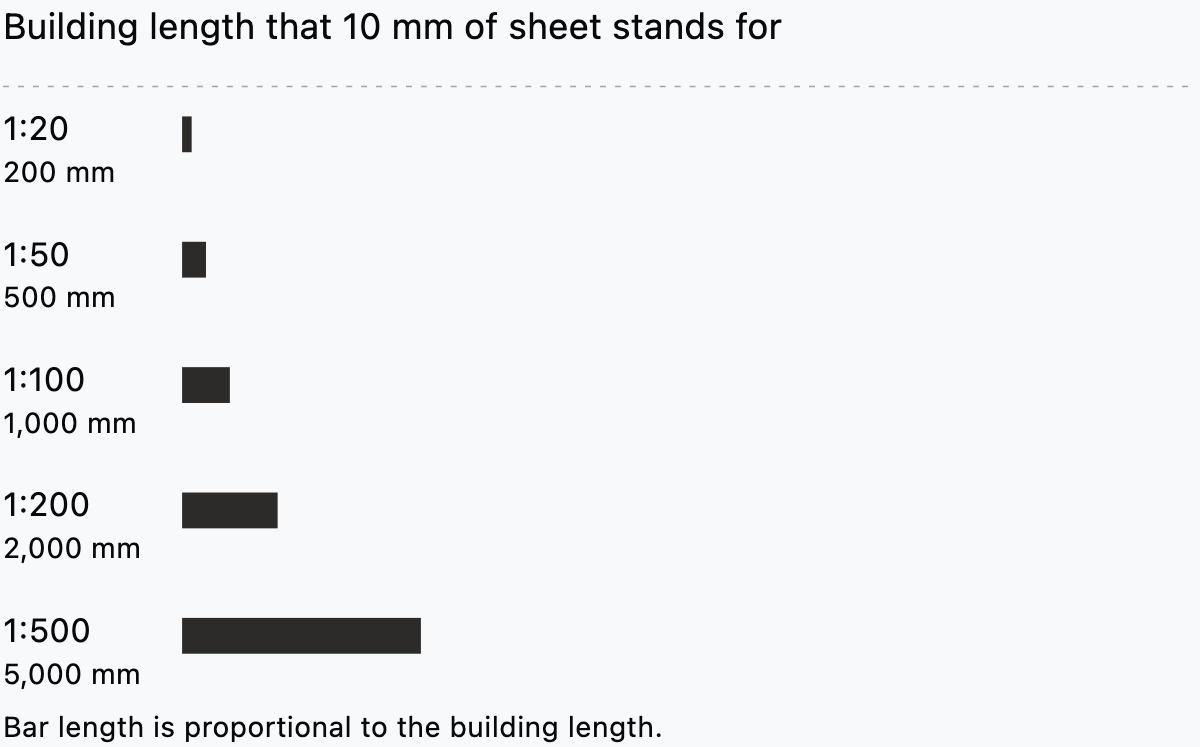
A scale compares a length on paper with the same length in the building. Both sides use the same unit. So at 1:100, 1 mm on the sheet is 100 mm built. A 10 m wall draws at 100 mm.
A larger ratio number means a smaller drawing. A 1:200 plan shows more ground on the sheet than a 1:50 plan.
The chart gives our arithmetic for common metric scales. It shows what 10 mm on the sheet stands for in the building.
Which scale for which drawing
Stroud District Council publishes a guide to submitting a valid planning application. Its July 2018 Drawing Standards asks for "a conventional metric scale such as 1:100 or 1:50" (Stroud District Council). The table shows what each document lists.
| Drawing | Stroud (2018) | North Warwickshire (2015) |
|---|---|---|
| Site location plan | 1:1000, 1:1250 or 1:2500 for larger sites | usually 1:1250 |
| Block plan | 1:200 or 1:500 | usually 1:500 or 1:200 |
| Floor plans | 1:100 or 1:50 | 1:100 or 1:50 |
| Elevations | 1:100 or 1:50 | 1:100 or 1:50 |
| Sections through a building | 1:50 or 1:100 | not in the passages we read |
| Sections through land | 1:200 or 1:500 | not in the passages we read |
| Joinery details | 1:10 for large details, 1:1 or 1:2 for joinery sections | not in the passages we read |
The North Warwickshire column comes from its Plans and drawings page, a 2015 file. Stroud's guide is dated July 2018 and North Warwickshire's file was created in 2015. Advice: check the current rules of the authority you submit to.
Choosing between 1:50 and 1:100
Both councils list the pair for plans and elevations. Neither document, in the passages we read, says how to choose. Here is our arithmetic for a 12 m by 8 m house.
- At 1:50 it measures 240 by 160 mm.
- At 1:100 it measures 120 by 80 mm.
- At 1:200 it measures 60 by 40 mm.
The Synaps documentation gives A4 as 210 by 297 mm. The 1:50 drawing is 240 mm wide, so it does not fit A4 portrait. On A4 landscape, 57 mm remain across the width for margins and a title block.
A site is larger. Take a 30 m by 40 m plot, as a second worked example. At 1:500 it measures 60 by 80 mm. At 1:200 it measures 150 by 200 mm, which fits A4 portrait with 60 mm to spare across the width.
Advice: use 1:50 to read wall build-ups, door swings and furniture. Use 1:100 when the whole building must fit on one sheet. Keep one scale across a set where you can.
Metric and imperial scales
An imperial scale such as 1/4 inch to the foot is also a ratio. A foot has 12 inches, and 12 divided by 0.25 gives 48. So 1/4 inch to the foot is 1:48.
The same sum gives 1:96 for 1/8 inch to the foot. It gives 1:24 for 1/2 inch.
1:48 and 1:50 are close but not equal. Read a 1:50 drawing with a 1:48 ruler and every length comes out 4 percent short. That is 48 divided by 50, or 0.96. A 10,000 mm wall reads as 9,600 mm.
Advice: use the stated ratio when you convert. Do not round 1:48 to 1:50 on a drawing that someone will measure.
Why a written scale needs its sheet size
Stroud asks you to "indicate the scale used and the paper size". North Warwickshire asks for a label of the paper size the plan "is intended to be scaled at". Our reading is that scale and sheet size belong together.
Resize the sheet and the ratio changes. An A3 sheet is 297 by 420 mm, and A4 is 210 by 297 mm. The factor is 0.707. A 1:100 sheet shrunk from A3 to A4 becomes about 1:141. A 1:50 sheet becomes about 1:71, and a 1:200 sheet about 1:283.
Stroud also asks for "a scale bar and measured dimensions" on plans, except location plans. Our reading is that a scale bar answers the resize problem, because the bar shrinks with the sheet.
Stroud says it will not accept a disclaimer such as "Not to scale". Advice: check your own authority before you add one.
How to check the scale after export
Advice: this checklist is ours, not a council's.
- Find one dimension you trust, such as a door width or a grid line.
- Measure it on the output file with the viewer's measuring tool.
- Compare the reading with the known value. Re-export if it is off.
- Print a test page at the size you plan to use.
- Measure the same dimension on the printed sheet with a scale ruler.
- Compare the scale bar, if you drew one, with its labelled length.
Step 4 guards against a print that was resized without you noticing.
Scale in Synaps
We read the Synaps documentation on 3 October 2026. A drawing sheet in Synaps is called a paper. The papers page lists ISO sheet sizes A0 to A6 and B0 to B5. It also allows a custom size, and lists a Scale setting, "the drawing scale on the sheet, such as 1:50 or 1:100".
The page does not give a range of scales. Check the scale you need on your own paper. To export, select the paper's header and open Export.
The export page lists PDF, DXF, PNG and JPEG. It says to check "line weights, text, hatches, texture fills, images and detailed symbols". It does not say whether an exported PDF prints at the paper's scale. Run the export check above every time.
The measure page describes a temporary Measure tool that adds nothing to the drawing. Use it to check a distance before you export.
A dimension is different. The annotations page says a dimension is a static annotation. It does not follow geometry that moves later. Replace dimensions after an edit.
For DXF, the DXF support page says to "check units and a known dimension". It also says layout viewports are "not imported as working layout viewports". Check any layout scale by hand.
Does a PDF arrive at an unknown scale? Read our guide to converting a PDF to DWG. For a scan, see how to turn a scanned floor plan into an editable drawing.
Before you send a drawing, pick the scale from the drawing type, write it with the paper size, and add a scale bar. Stroud asks for measured dimensions, so take dimensions from figured values and run the export check.
Read how papers and scale work in Synaps, then set the scale on your own paper.
Frequently asked questions
What is 1/4 inch to the foot as a ratio?
It is 1:48. Twelve inches divided by a quarter inch gives 48.
Is 1:48 the same as 1:50?
No. 1:48 is 1/4 inch to the foot. A 1:50 drawing read with a 1:48 ruler comes out 4 percent short.
Why does my printed plan not match its scale?
The sheet may have been resized, as the section on why a written scale needs its sheet size shows. Advice: print at actual size, or trust the scale bar.